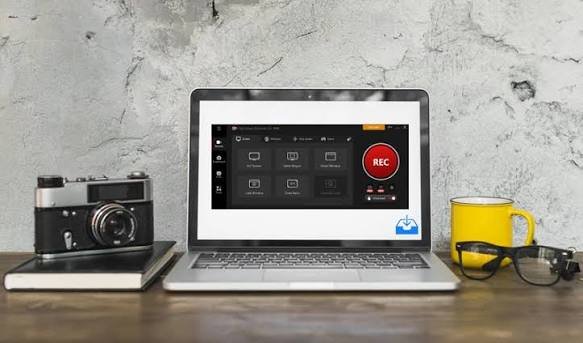
iTop Screen Recorder is the tool you find after trying everything else and getting disappointed every single time. One recorder puts a watermark across half the video.
The next one turns your laptop fan into a jet engine the moment recording starts. The third one crashes mid-session and takes the footage with it.
What Happens the First Time You Use It?
There is no confusing setup. No virtual audio cables to configure. No settings buried three menus deep that you need to change before anything works properly.
You download it, open it, choose what you want to record, and click the button. The recording starts. Your computer keeps running normally. When you stop, the file is ready.
That experience, unremarkable as it sounds, is genuinely not what most free screen recorders offer. Getting there without friction is more valuable than people realize until they have experienced the alternative repeatedly.
Gameplay Recording That Does Not Ruin the Game
Free screen recorders and gaming have always had a complicated relationship. The recorder runs, performance drops, frame rates fall, and suddenly the session you were trying to capture is barely playable.
iTop solves this with GPU acceleration. The recording workload moves off your processor entirely and sits on the GPU instead. Your game runs at full performance.
The recording happens completely separately. Neither one touches the other. For anyone who has abandoned other free recorders specifically because of this problem, iTop feels like the answer that should have existed years ago.
Teaching and Tutorials Feel Different With Webcam Overlay
Face on Screen Changes Everything
There is a noticeable difference between watching a screen recording where someone explains things and watching one where you can also see their face. The second one feels like being taught. The first one feels like reading a manual with audio.
Position It Where It Makes Sense
iTop lets you place the webcam window wherever it works best for your content. Move it, resize it, adjust it so it adds context without covering anything important on screen.
Students Stay More Engaged
A human presence on screen keeps viewers focused longer. Educational content with a visible instructor holds attention better than a faceless cursor moving around explaining things nobody asked to read.
Editing Without Leaving the App
The gap between finishing a recording and having something shareable is where most free tools add unnecessary steps. Export the file. Open the editor. Find the clip. Trim the start. Cut the middle. Export again.
iTop removes all of that. The built-in editor handles trimming and cutting inside the same window. Finish recording, clean it up, and export once.
If you are still searching for the right tool, this screen recorder handles everything from gameplay to professional walkthroughs without costing anything.
Frequently Asked Questions
Is the free version actually free or does it expire?
Genuinely free with no expiry core features stay accessible without ever paying.
Does iTop work on Mac?
No, it is Windows only at this point.
How does recording not slow my computer down?
GPU acceleration takes the recording workload off the CPU completely.
